LoyalBite: loyalty that runs on the receipt
Latest version 1.0 · 23 September 2026
The till decides. The app just shows it.
Every point and stamp starts at the point of sale. The customer app never adds or removes anything by itself, so there’s nothing on the phone to tamper with.
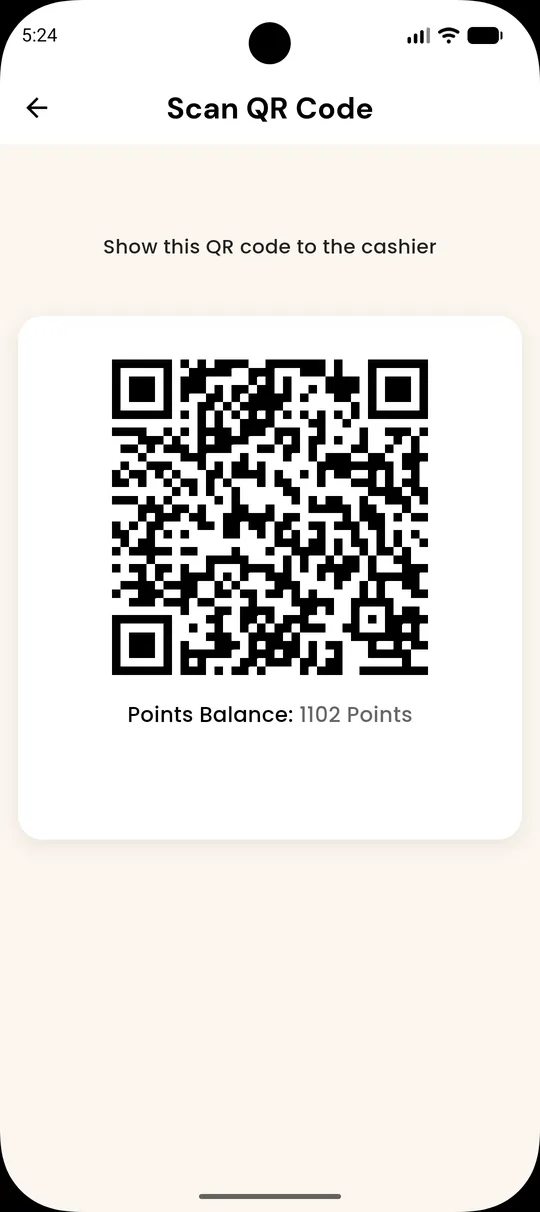
Member shows their QR
The code carries a member ID, member code and a signature. No balance, no points.
Cashier scans at the POS
The POS sends the invoice number, branch and bill amount to /transaction/earn.
The server does the maths
Rate × bill, the best live campaign multiplier, and a stamp if the bill passes the threshold. A repeated invoice is rejected.
The member gets a push
“You earned 38 points at Bean & Brew.” Balance, stamps and history update right away.
Everything a regular wants, one tap from home
Built with Flutter for iOS and Android, in English and Arabic, with a matching dark mode.
Points wallet
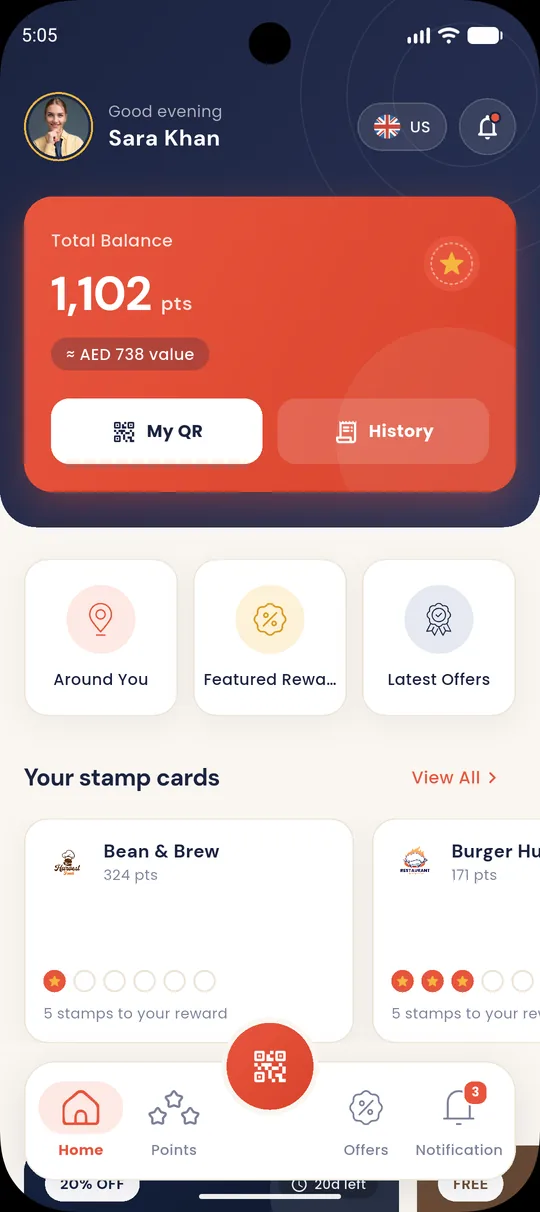
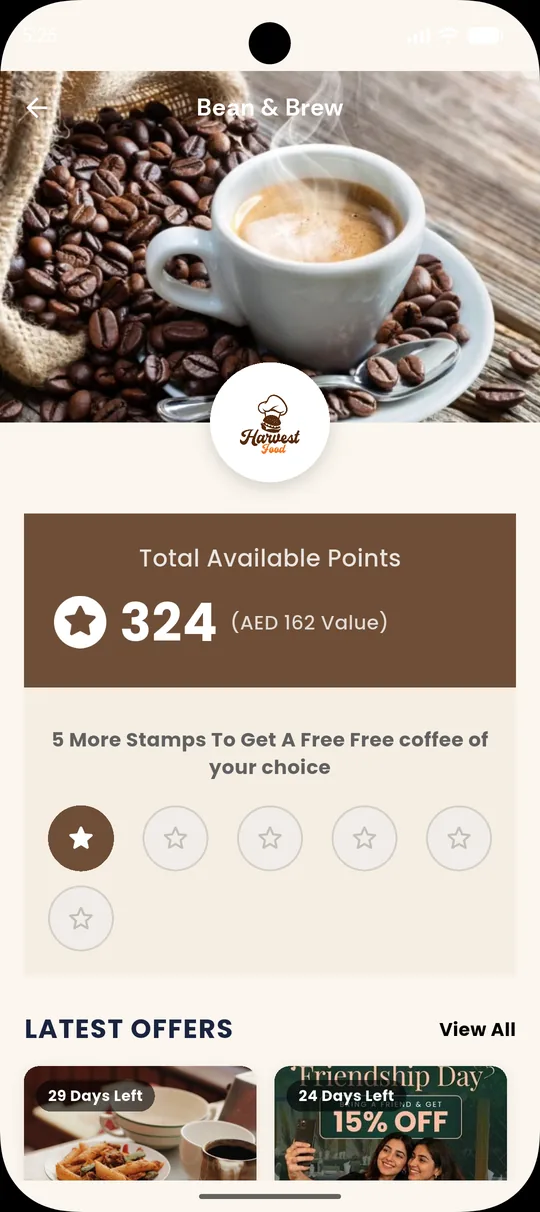
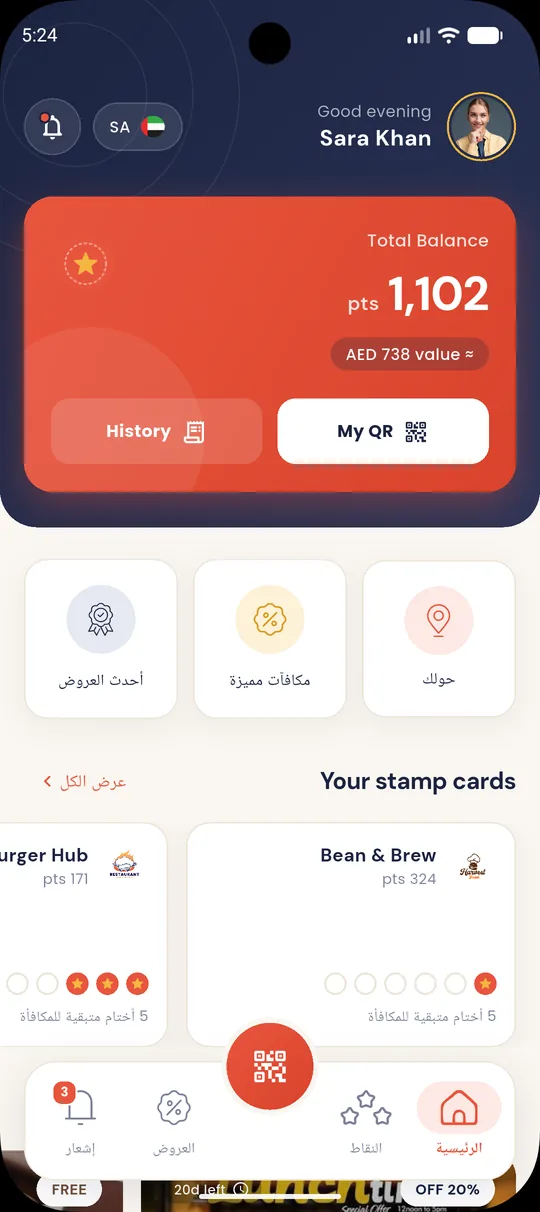
Total balance with its AED value, plus a balance for each restaurant.
Stamp cards
Round stamps fill up visit by visit, with a clear “Reward ready” state.
Offers
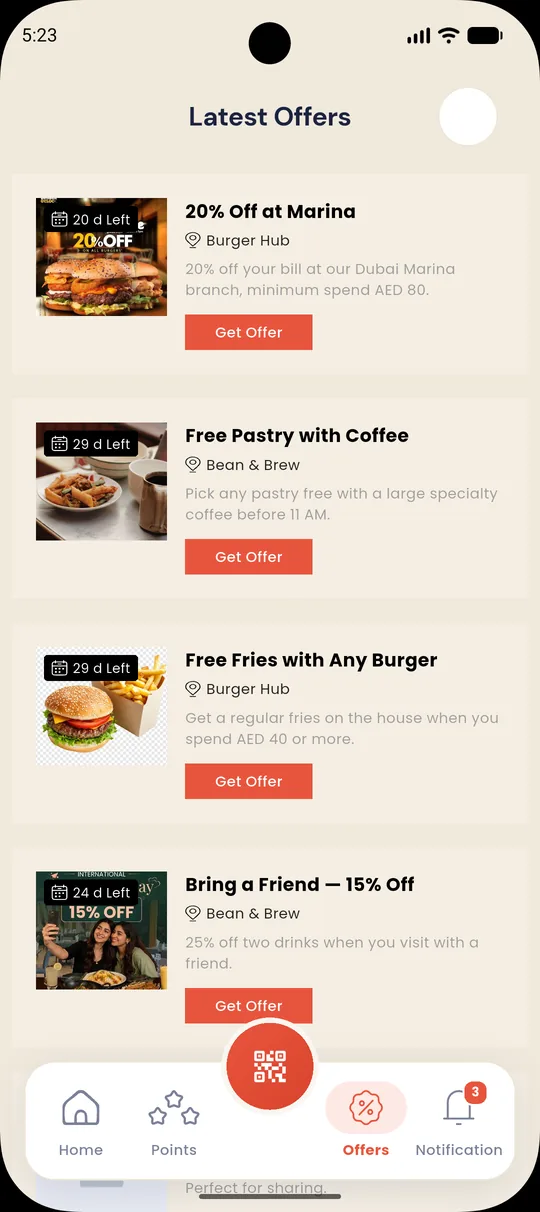
Discounts, free items and point multipliers, each with its own QR to claim at the counter.
Around you
Nearby branches on a map with addresses and directions.
Notifications
Earned, redeemed, offer and update alerts, with read and unread states.
English & Arabic
Every screen is translated, with a true right-to-left layout for Arabic.
Four kinds of offer, set up in minutes
Each offer can target certain branches or days, and set a minimum spend, a limit per customer and an overall cap.
A home screen built around the next reward
Balance first, then stamp progress, live offers and recent activity. Scroll sideways to see more.
Run every restaurant and branch from one place
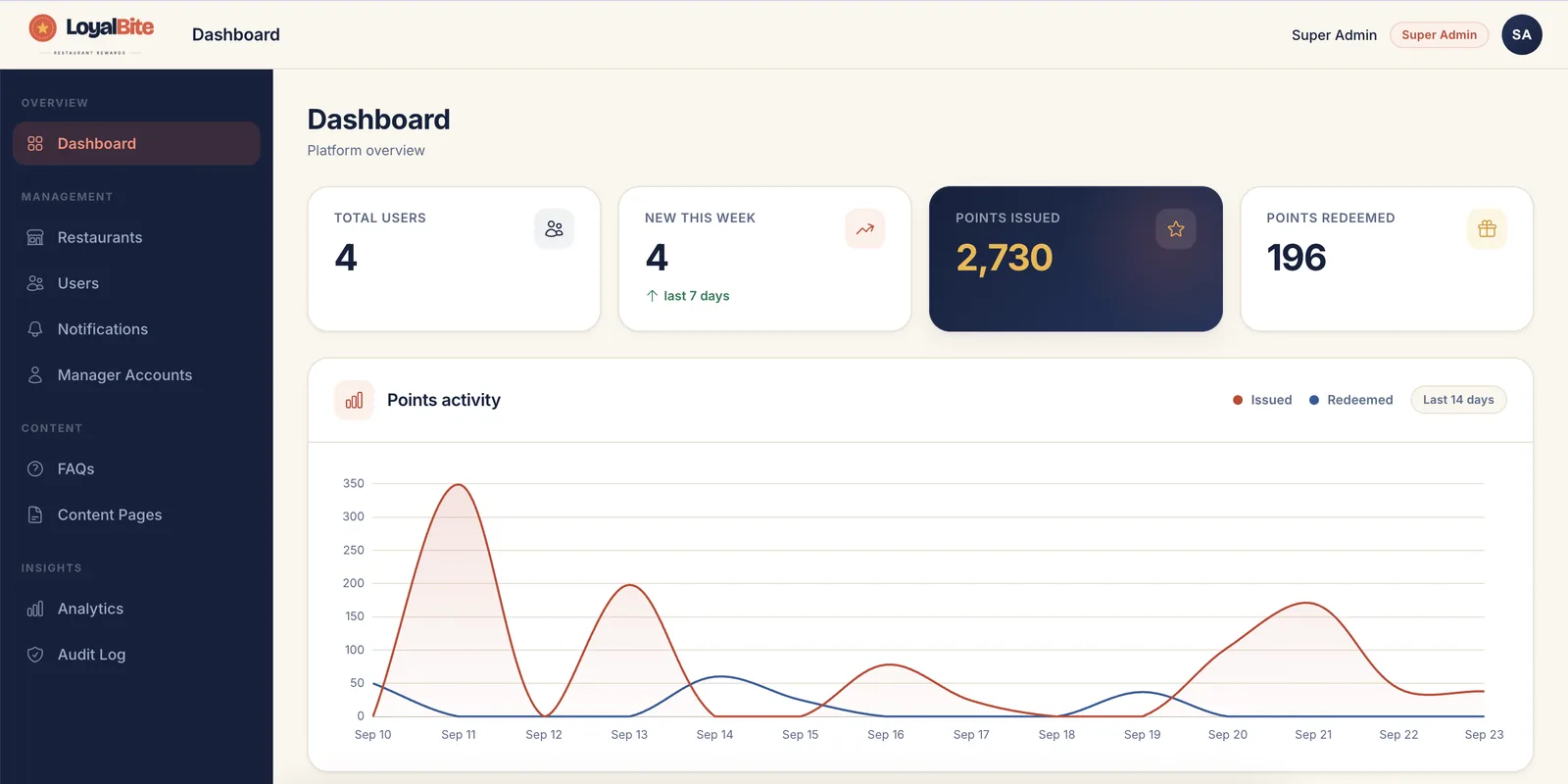
Points issued and redeemed, new members and a 14-day activity chart, right on the dashboard.
- Restaurants & branches. English and Arabic names, map locations, menus, brand colours and social links.
- Earning rules per restaurant. Point rate, stamp threshold, stamps to a reward and the redemption cap.
- Campaigns. Point multipliers by minimum spend, day of the week or a new branch opening.
- Managers. Each restaurant manager sees and edits only their own restaurant.
- Push notifications, analytics and an audit log so you can see what happened and when.
Rules the server enforces on every visit
Balances only change inside a database transaction, and only when the POS sends the request.
No double counting
Each invoice can earn once per branch. Sending it again returns “already processed”.
INV-20417 @ bean-brew-jbr → rejected
Redemption cap, applied quietly
A customer can only use points up to a share of the bill. Anything above that simply isn’t deducted, with no error at the till.
asked 30 pts → 24 pts used
Stamps work across branches
Collect stamps at Dubai Marina and claim the reward in Downtown, as long as it’s the same restaurant.
A QR code that can’t be forged
The member QR is signed on the server and holds no balance, so a copied or edited code gets nothing.
Full source for all three parts
Flutter app
Feature folders with Cubit state management and dependency injection. English and Arabic text files.
lib / features / <feature>Admin panel + API
ASP.NET Core MVC for the admin panel and a REST API for the app and POS, with a service layer.
Controllers · API · ServicesDatabase
EF Core migrations, a starter seed with roles and an admin account, plus demo data for testing.
SQL Server 2022 · Docker composeCommon questions
Can customers earn points without the POS?
No. Points and stamps are only added when the POS sends a transaction. The app shows balances but never changes them, which keeps the numbers trustworthy.
Do points work across all our restaurants?
Members see one total balance plus a balance for each restaurant. Each restaurant sets its own point rate and redemption cap, and stamps can be used at any branch of the same restaurant.
What happens if a customer tries to use too many points?
The server uses as many points as the restaurant’s cap allows and leaves the rest in their balance. The cashier and customer don’t see an error.
Is there a tier system (silver, gold)?
No. Everyone earns at the same rate. Campaigns and offers are how you reward quiet days, big spends or a new branch.
Can we use our own brand and colours?
Yes. The app’s colours and fonts come from one theme file, and each restaurant has its own logo, banner and theme colour set in the admin panel.
Give your regulars a reason to come back
Sign in to the admin panel and explore it with demo restaurants, offers and customers.